WP HoloDev gives AI coding agents the tools, skills and controlled execution environment they need to work on real development projects instead of simply generating bits of code. The harness itself is completely free.
Native tools let agents inspect repositories, read and edit files, trace code, run development commands, review Git changes, use a browser, call specialist agents and work with approved MCP integrations.
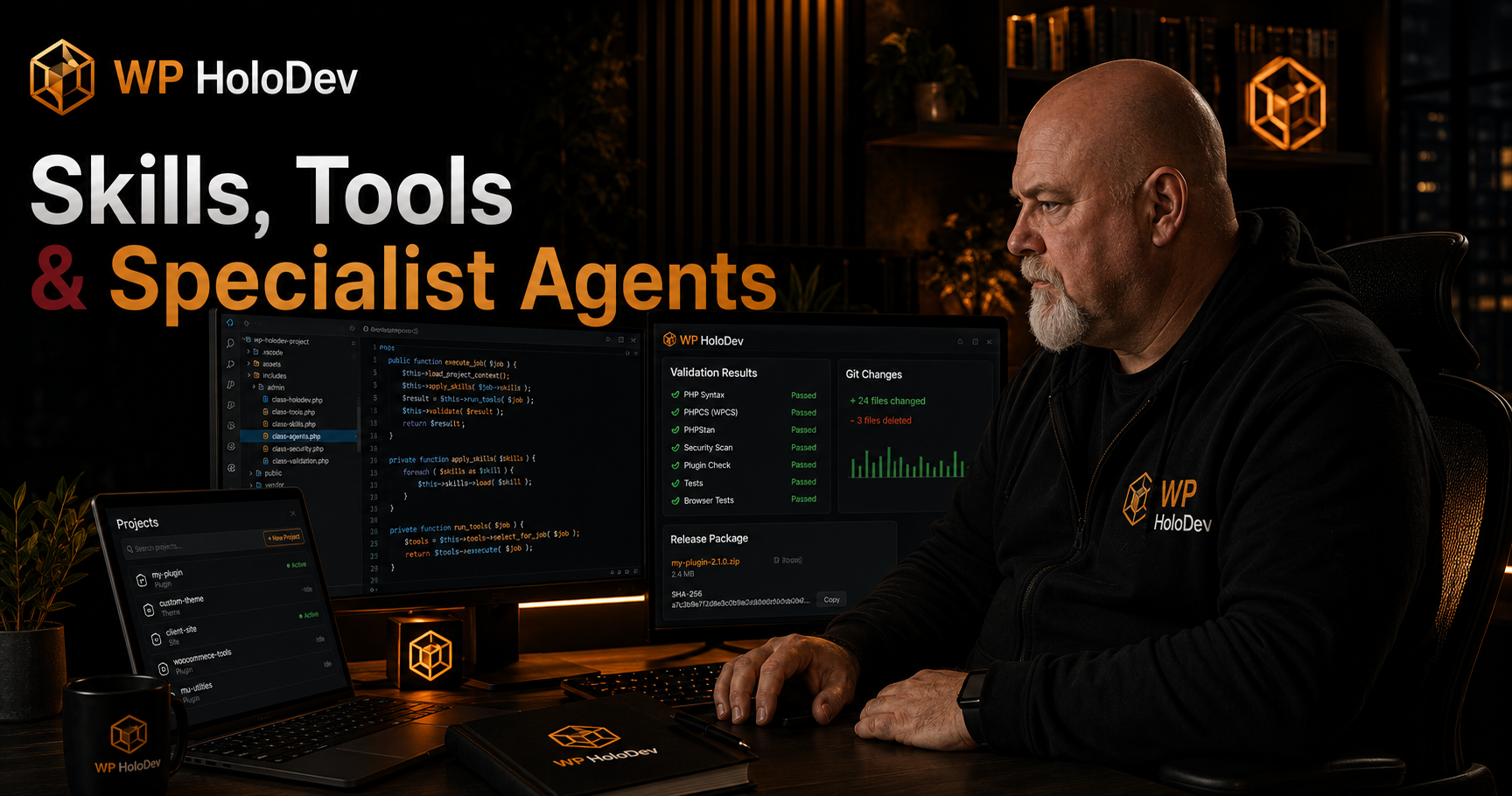
Bundled skills add specialist engineering and WordPress knowledge for development, debugging, testing, architecture, performance, REST APIs, WP-CLI, release checking and more.
You normally do not need to choose those capabilities yourself. Tell WP HoloDev what you want to achieve and the harness can assemble the appropriate tools and skills while keeping permissions, approvals, project boundaries, validation and execution under its control.
Skills and Tools Work Automatically
WP HoloDev combines specialist AI skills with controlled development tools. Skills give the agent proven ways to approach different kinds of work. Tools let it inspect, edit, test and verify the actual project.
For normal development, you do not need to choose either of them manually. Describe the result you want and WP HoloDev can select the relevant skills, native tools and validators automatically as the task develops.
For example:
Find the cause of this bug, fix it properly, add a regression test and run the relevant validation.
WP HoloDev can decide that the job needs repository inspection, code search, file reads, editing, tests and validation without you having to name those capabilities individually.
Automatic Does Not Mean Unrestricted
Automatic tool selection does not give the model permission to do whatever it wants. Every native tool call still passes through WP HoloDev's ActionRegistry, argument validation, project boundaries, permission controls, cancellation state and other harness security checks.
A Main Mode can make a tool more relevant. A skill can recommend that a tool should be used. Neither can grant additional authority.
You Can Still Choose Explicitly
If you want direct control, you can still inspect and invoke capabilities yourself.
/tools shows available native tools. /tool <name> [JSON] explicitly invokes an authorised native tool. /skill <id> [task] explicitly pins a skill for the request.
These commands are optional. Most users can simply describe the development task and allow the harness to choose what is needed.
What Users Need to Know About Automatic Tool Use
WP HoloDev Selects Tools From the Actual Task
Automatic selection is based on the request, project, current Main Mode, available capabilities and what the agent discovers while working.
A debugging task might automatically use repository inspection, code search, file reading, test execution and diff review. A WordPress Coding task can additionally select WordPress-specific validators. A Design task can make browser verification more relevant. A Cyber Security task can select defensive analysis tools without gaining extra system permissions.
Tools Can Be Added as the Job Develops
The complete tool set does not have to be chosen before work begins. If investigation reveals that another authorised capability is needed, WP HoloDev can make it available later in the same job.
This keeps straightforward tasks simple while allowing larger jobs to expand into testing, browser inspection, static analysis or other validation when the evidence shows it is necessary.
Main Mode Influences Selection
The selected Main Mode helps the harness decide which capabilities are most relevant.
Coding favours general development capabilities. WordPress Coding adds relevant WordPress engineering and validation. Design favours frontend and browser-oriented work. WordPress Design combines design with WordPress-specific implementation checks. Cyber Security favours defensive code and project security capabilities.
Main Mode is a routing signal, not a permission system.
Agent Level Does Not Disable Tools
Agent Level controls model-backed subagents, not native development tools.
Even with Agent Level: None, the main agent can still inspect files, edit code, run authorised commands, use skills, execute validators and perform browser checks where those capabilities are available.
Manual Model Assignment Does Not Disable Tools
Manual locks model-backed work to the exact provider connection and model you selected. It does not turn off native tools, skills or validators.
The selected model still works through the WP HoloDev harness and can use authorised capabilities normally.
Unavailable Tools Are Not Invented
WP HoloDev distinguishes between capabilities built into the harness and development software that is actually available in the environment.
If a task requires PHPStan, Composer, WP-CLI, Docker or another external runtime that is not available, the harness should report that rather than pretending the command ran successfully.
runtime_inventory provides the authoritative view of native tools, active skills, detected development software, MCP capabilities and Docker availability.
The Skills and Tools You Will Use Most
You normally ask for the result rather than naming these capabilities, but these are some of the skills and tools WP HoloDev is most likely to select during everyday development.
Project Inspection and Code Search
Tools such as repository_inventory, list_files, read_file, code_search, find_symbol and code_references help the agent understand the real project before changing it.
Ask: Inspect the existing settings system before making any changes.
Or:
Find where this REST endpoint is registered and everything that calls it.
Root-Cause Debugging root-cause-debugging
This skill reproduces a failure, traces the causal chain and validates the real correction rather than applying another workaround.
WP HoloDev can select it automatically for debugging work, or you can request it explicitly:
Use root-cause debugging. Reproduce this failure, find the actual cause and fix it without patching the symptom.
Controlled Implementation controlled-implementation
This skill handles normal implementation work. It inspects the existing architecture, keeps the change focused, preserves unrelated behaviour and validates meaningful changes.
Add this feature using the existing project architecture. Change only what is required and run the relevant tests afterwards.
Test-First Development test-first-development
This skill uses behaviour-focused tests to establish a defect or requirement before implementation and then verifies the correction.
Add a regression test that reproduces this bug, then make the smallest correct change that makes it pass.
Independent Code Review independent-code-review
This skill reviews actual source and changes for correctness, security, regressions, performance and maintainability.
Review every changed file before completion and report only genuine problems.
WordPress Plugin Engineering wp-plugin-engineering
This is a primary implementation skill for WordPress plugin work, covering WordPress APIs, hooks, secure request processing, persistence, administration interfaces, compatibility and testing.
WordPress Coding Mode can make this skill automatically relevant when the project and task require it.
Project Commands run_project_command
This native tool runs authorised development commands from the project workspace. It is how an agent can run tests, linters, build commands and other project-specific tooling.
Run the complete test suite and investigate any failures.
Browser Verification browser_run
This tool uses bounded Playwright operations to verify real browser behaviour instead of relying solely on source-code assumptions.
Open the settings screen in the browser, test the form and verify the success and error states.
Holographic Plugin Check holographic-plugin-check
This WordPress skill coordinates Holographic Plugin Check for plugin QA, security review, PHP optimisation and release readiness.
Run a full Holographic Plugin Check and investigate every actionable finding.
Project Inspection and Code Intelligence Tools
These native tools let WP HoloDev understand the actual repository. They can be selected automatically whenever the task needs them and remain restricted to the authorised project.
File Listing and Reading
list_files lists project files and folders. read_file reads a complete text file. read_file_range reads a selected section of a larger file.
The agent normally chooses between them automatically depending on how much of the file it needs.
Literal and Regular-Expression Search
search_text performs bounded literal searches. search_regex performs regular-expression searches when a simple text query is insufficient.
Find every use of this option name and show me where it is written.
Repository Inventory repository_inventory
This inspects repository structure, languages and project layout for implementation analysis.
Repository contents are not treated as proof that software or runtimes are actually installed. Runtime availability has its own authoritative inventory.
Repository Index repository_index
This refreshes WP HoloDev's persistent structural index and dependency information so later code-intelligence queries can work from an up-to-date project view.
Symbol Search find_symbol and code_symbols
These tools search definitions, WordPress hooks, registrations, routes and supported code symbols across the repository.
Find where ModelRouter is defined and everything that depends on it.
References and Callers code_references
This follows indexed references and callers so the agent can understand the impact of changing a function, method or WordPress hook.
Dependency Relationships code_dependencies
This examines dependency edges entering or leaving a symbol or file so the agent can see both what a component uses and what depends on it.
Indexed Code Search code_search
This searches WP HoloDev's indexed view of the repository using bounded literal or regular-expression matching.
Runtime Inventory runtime_inventory
This is the authoritative source for what WP HoloDev can actually use at the time of the job.
It can report native tools, enabled skills, detected host development software, configured MCP capabilities and Docker availability.
Tell me which tools, skills and development runtimes are actually available to this project.
Skill Inventory skill_inventory
This returns the active skill registry and separates bundled, user-installed and project-local skills.
Automatic and Explicit Skill Selection
Automatic Skill Search skill_search
WP HoloDev can search the available skill registry automatically when the current task would benefit from specialist guidance.
It does not need to load every skill into every prompt. Relevant candidates can be identified first, keeping model context focused.
Skill Loading skill_load
Once a relevant skill is selected, its instructions and permitted supporting resources can be loaded into the task.
This normally happens automatically.
If you want to force a particular workflow, you can also use:
/skill root-cause-debugging Investigate this failure and fix the real cause.
Skills Do Not Grant Permissions
A skill changes how an agent approaches work. It does not give that agent new filesystem, command, network or MCP privileges.
Any tools used because of a skill still pass through the normal WP HoloDev tool and permission systems.
Editing and Project Command Tools
These are native WP HoloDev capabilities. The agent can select them automatically when implementation requires changes to the project.
Write Files write_file
This creates or overwrites authorised text files inside the project.
You normally describe the implementation rather than telling the model to invoke write_file.
Move or Rename Files move_file
This moves or renames files while remaining inside the project workspace boundary.
Delete Files delete_file
This removes a project file when deletion is genuinely part of the authorised development task.
Deletion is not implied merely because an agent decides a file looks unnecessary.
Run Project Commands run_project_command
This runs a controlled development command from the authorised project root.
Known development operations follow the normal execution path. Unknown or higher-risk executable requests can require additional authority or be refused.
Run the project's existing test command and fix any failures caused by this change.
Git Status and Diff
git_status and git_diff are available for projects that use Git.
WP HoloDev does not require a project to use Git. If the project is not a Git repository, other repository and file tools continue to work normally.
Task State and Completion Evidence
Some tools exist primarily to support WP HoloDev's orchestration rather than being capabilities users need to invoke manually.
Task State task_state
This reads the authoritative persisted requirements and TODO state for the current development job.
It lets long-running work rely on structured state rather than only on what happens to remain in the current model context.
Execution Evidence execution_evidence
This reads persisted evidence from tool calls, validators and model requests so completion claims can be tied to actual execution.
Show me the evidence that the required tests actually passed.
Update TODO update_todo
This updates persisted job TODO state after the corresponding work has actually been performed.
It is primarily an internal orchestration capability. Users normally manage the development objective, while WP HoloDev manages structured task progress.
Structured Work Controls Completion
A model simply writing done or COMPLETED does not replace structured job state.
Outstanding actionable TODOs, required validation and other persisted requirements can keep the job active until the work is genuinely complete.
Browser, Specialist Agent and MCP Capabilities
Browser Verification browser_run
This runs bounded Playwright operations and records browser evidence where browser verification is appropriate.
Design, WordPress Design and browser-dependent development tasks can make this capability automatically relevant.
Specialist Agent Requests request_subagent
This delegates a bounded part of a job to another model-backed agent.
Subagent creation is controlled separately by the selected Agent Level.
Full permits purposeful delegation as needed. Low allows up to four logical subagents for the complete job. None prevents model-backed subagents entirely.
Native tools remain available even when Agent Level is None.
MCP Discovery mcp_discover
This discovers tools, resources and prompts exposed by a configured MCP server.
The harness can perform discovery when an MCP capability may be useful rather than requiring the user to know every remote tool name in advance.
MCP Calls mcp_call
This invokes an approved capability from an MCP server through WP HoloDev's external-action boundary.
MCP tools remain associated with the server that supplied them and do not replace native WP HoloDev tools.
Automatic MCP use is still subject to configured access, network controls, project boundaries and other harness permissions.
General Engineering Skills
These provide the core development workflows used across WordPress and non-WordPress projects. WP HoloDev can select them automatically when the task matches their purpose.
Workflow Router workflow-router
Chooses the smallest appropriate engineering workflow and supporting skill set without changing permissions or doing unnecessary work.
Controlled Implementation controlled-implementation
Implements a requirement after inspecting affected code, callers, interfaces, tests and configuration. It emphasises focused changes and evidence-backed completion.
Root-Cause Debugging root-cause-debugging
Reproduces failures, isolates the causal chain, corrects the actual cause and verifies the regression is gone.
Test-First Development test-first-development
Uses behaviour-focused failing tests before implementation and broader validation after the focused change passes.
Independent Code Review independent-code-review
Performs an evidence-based review of actual source and changes, separating correctness, security, regression, performance and maintainability findings.
Architecture Design architecture-design
Designs new subsystems or significant changes from repository evidence, interfaces, state ownership, failure modes, security boundaries, migration requirements and testability.
Architecture Improvement architecture-improvement
Improves an existing architecture when a concrete structural problem has actually been demonstrated.
Session Handoff session-handoff
Creates a continuation record containing the objective, repository state, decisions, completed work, evidence, failures and next actions for a later development session.
Planning and Design Skills
These can be selected when a task requires clarification, architecture or design work before implementation begins.
Design Interview design-interview
Turns an underspecified idea into concrete requirements by resolving users, behaviour, data, constraints, edge cases and acceptance criteria.
Specification Builder specification-builder
Turns approved intent into an implementation-ready specification covering behaviour, interfaces, security, migration, validation and acceptance criteria.
Assumption Challenge assumption-challenge
Stress-tests a plan by identifying hidden assumptions, contradictory requirements, abuse cases, failure modes and unnecessary complexity.
Design Review With Records design-review-with-records
Checks a proposed design against the actual repository, documentation, existing decisions and tests.
Domain Language domain-language
Builds precise vocabulary for domain concepts, identities, invariants, states and boundaries before data models and APIs are designed.
Skill Management
Skill Discovery skill-discovery
Finds appropriate WP HoloDev skills by capability, trust, compatibility, dependencies and scope.
Finding a skill does not automatically install it or give it new permissions.
Engineering Skill Setup engineering-skill-setup
Handles installation, replacement and updating of engineering skills with provenance, trust, compatibility, integrity, dependency and rollback checks.
WordPress Skills
WP HoloDev includes specialist WordPress skills so plugin, theme and site work can use WordPress-specific engineering rules rather than treating WordPress as generic PHP.
WordPress Coding and WordPress Design Main Modes make applicable WordPress capabilities more relevant automatically.
WordPress Work Router wp-work-router
Classifies the WordPress repository and task, collects compatibility information and routes work towards appropriate specialist WordPress skills.
WordPress Repository Analysis wp-repository-analysis
Builds a factual map of the WordPress project including compatibility, entry points, hooks, endpoints, persistence, security surfaces, tooling, tests and release structure.
WordPress Plugin Engineering wp-plugin-engineering
Handles practical plugin development using WordPress APIs, secure request processing, compatibility-aware architecture, tests and project conventions.
WordPress REST Engineering wp-rest-engineering
Designs and implements REST routes with explicit permissions, argument validation, semantic sanitisation, controlled data exposure and tests.
WP-CLI Operations wp-cli-operations
Uses WP-CLI for controlled WordPress inspection and operations where WP-CLI and the required WordPress environment are available.
WordPress Performance Analysis wp-performance-analysis
Investigates performance using evidence from profiling, database queries, caching, hook frequency, assets, cron and request-specific measurements.
WordPress Static Analysis wp-static-analysis
Uses static analysis to find genuine PHP type and contract problems and correct them at source rather than weakening the configuration.
WordPress.org Directory Compliance wp-directory-compliance
Checks applicable directory requirements including licensing, source availability, external services, tracking, administration behaviour, trademarks, readme information and packaging.
Holographic Plugin Check holographic-plugin-check
Coordinates Holographic Plugin Check for final WordPress plugin QA, security review, PHP optimisation and release readiness.
Scanner findings are verified against the actual source before changes are made.
Validation and Testing Tools
Validators are deterministic checks of the actual project. WP HoloDev can select relevant validators automatically from the project stack, Main Mode and work performed.
Availability depends on the project and the development software actually present in the environment.
Core WordPress Validation
php_syntax checks PHP syntax. plugin_check runs WordPress Plugin Check. security performs deterministic security checks. regressions compares findings with the existing project baseline.
PHP and WordPress Quality
phpcs runs coding-standard checks. phpstan performs static analysis. phpunit runs PHPUnit tests. wordpress performs WordPress runtime validation where available. compatibility checks applicable compatibility requirements.
Node.js and TypeScript
node_lint, node_test and node_build run appropriate Node.js project workflows. typescript_check performs TypeScript validation.
Python
python_lint, python_test and python_type are available when the project and environment provide the required Python runtime and dependencies.
WP HoloDev does not pretend Python validation succeeded when the required runtime is unavailable.
Rust
rust_clippy, rust_test and rust_fmt support Rust validation where relevant tooling is available.
Configuration, Markup and Shell Validation
shellcheck, yamllint, json_lint, html_lint, css_lint and powershell_lint cover common script, configuration and frontend formats where applicable.
Browser, Stack and Release Evidence
browser provides browser validation. stack_checks selects appropriate project-stack checks. git_diff can validate source changes for Git projects. dependency_audit checks supported dependency security information. artifact_test validates generated project artefacts where applicable.
Run every relevant validator for this project and tell me which checks passed, failed or were unavailable.
Detected Development Software
Native WP HoloDev tools and external development software are deliberately treated as different things.
The harness can automatically select its own native capabilities. External programs can only be used when they are actually available in the current environment.
Node.js
Node.js is bundled with the Windows WP HoloDev package and supports the application runtime and JavaScript development workflows.
npm
npm can be used for project dependency, test and build commands where available.
PHP
A host PHP installation is optional and can provide fast local PHP checks where appropriate.
Composer
Composer is optional and can be used by PHP projects that manage dependencies, development tools or scripts through Composer.
WP-CLI
WP-CLI is optional and can provide direct WordPress command-line inspection where the target environment supports it.
Docker
Docker is optional. WP HoloDev can use it for isolated WordPress environments and Docker-backed validation without requiring it for ordinary development work.
Git
For repositories that use Git, WP HoloDev can use working-tree status and diff information as additional development evidence.
Git is not required for a project to use WP HoloDev.
Default Web Browser
The normal Windows browser-launch capability is separate from the structured Playwright browser_run tool used by agents for automated browser validation.
Specialist Agents Are Different From Tools
A skill gives an agent a specialist working method. A native tool performs a controlled operation. A subagent delegates a bounded piece of work to another model-backed agent.
These concepts remain separate.
Code Reviewer code_reviewer
Performs a focused independent code review.
Security Reviewer security_reviewer
Focuses on defensive security review within its assigned permissions.
Test Engineer test_engineer
Focuses on test coverage, validation failures and evidence that required behaviour works.
WordPress Reviewer wordpress_reviewer
Provides independent WordPress-focused review.
Independent Reviewer independent_reviewer
Provides another bounded independent review path.
Frontend Reviewer frontend_reviewer
Concentrates on frontend implementation and client-side behaviour.
Accessibility Reviewer accessibility_reviewer
Provides focused accessibility review.
Architecture Reviewer architecture_reviewer
Examines component boundaries, state ownership, dependencies and architectural implications.
Browser Validation browser_validation
Provides a specialist browser-validation role for tasks requiring browser evidence.
Task-Specific Reviewers
WP HoloDev can also create task-specific specialist roles where Agent Level permits it. Unknown specialist roles do not automatically receive broader permissions.
Model Context Protocol
MCP lets WP HoloDev connect compatible external capability providers while retaining its own native tool and security architecture.
External MCP Servers
A configured MCP server can expose tools, resources and prompts to the harness.
Capabilities are discovered from the actual server rather than being assumed from its name or configuration.
Automatic MCP Use
When an authorised MCP capability is relevant to the task, WP HoloDev can select it without requiring you to manually invoke the MCP tool by name.
This does not bypass the MCP server's configuration or WP HoloDev's own security controls.
MCP Security
MCP remains behind network, permission, workspace and audit controls. External server content is treated as external input rather than trusted harness instructions.
An MCP server cannot silently replace a native WP HoloDev tool or grant itself additional authority.
Using Skills and Tools in a Real Project
The main thing users need to remember is simple: describe the result you want, not the internal tool sequence.
WP HoloDev can decide which authorised capabilities are needed and add them to the workflow automatically.
Understand an Existing Project
Inspect the complete project before making changes. Map the main components, tests, dependencies and important execution paths.
The harness can automatically combine repository inventory, indexing, file inspection, symbol search and dependency analysis.
Build a Feature
Add this feature using the existing architecture. Inspect the affected code first, change only what is required and run the relevant tests afterwards.
The harness can select implementation skills, repository tools, file editing, project commands and validators as needed.
Fix a Difficult Bug
Reproduce this bug, trace the actual root cause, add a regression test and fix it properly. Do not add another workaround.
WP HoloDev can combine root-cause debugging, code intelligence, tests and final review without the user specifying each tool.
Review Security
Review this project for security problems. Use deterministic checks and independent review. Do not modify anything until the findings are established.
Cyber Security Mode can make relevant defensive skills, tools and validators easier to select while the same harness permissions remain in force.
WordPress Plugin Work
Inspect this plugin, identify its compatibility requirements and architecture, then implement the requested change using WordPress APIs and the project's existing conventions.
WordPress Coding Mode can automatically bring together appropriate repository analysis, WordPress engineering, editing and validation capabilities.
Check a User Interface
Inspect the current interface, make the requested change and verify the result in the browser at desktop and mobile sizes.
Design or WordPress Design Mode can make relevant frontend and browser capabilities part of the task automatically.
Force a Particular Capability When You Want To
Automatic selection is the normal workflow, but explicit control remains available.
/skills shows skills.
/skill <id> [task] selects a particular skill.
/tools shows native tools.
/tool <name> [JSON] invokes an authorised native tool directly.
This is useful for inspection, debugging WP HoloDev itself or situations where you specifically want to pin a capability.
Knowledge From Skills, Evidence From Tools
Skills, tools, validators and subagents deliberately have different roles inside WP HoloDev.
A skill tells an agent how to approach a type of work.
A native tool performs a controlled operation against the real project or development environment.
A validator provides deterministic evidence about the source or application.
A subagent delegates a bounded model-backed assignment when the selected Agent Level permits it.
An MCP capability extends the harness through a configured external server while remaining inside WP HoloDev's security boundaries.
WP HoloDev can coordinate all of these automatically from the task, project and active policies.
You normally tell WP HoloDev what needs to be achieved. The harness decides which authorised capabilities are required to get there.
The result is an AI development environment where specialist knowledge, automatic capability selection, real project access and deterministic validation can work together without giving the model unrestricted control of the computer.